Global Settings
Global settings apply across all pages and sections. Access them by clicking the gear icon (Theme settings) in the theme editor sidebar.
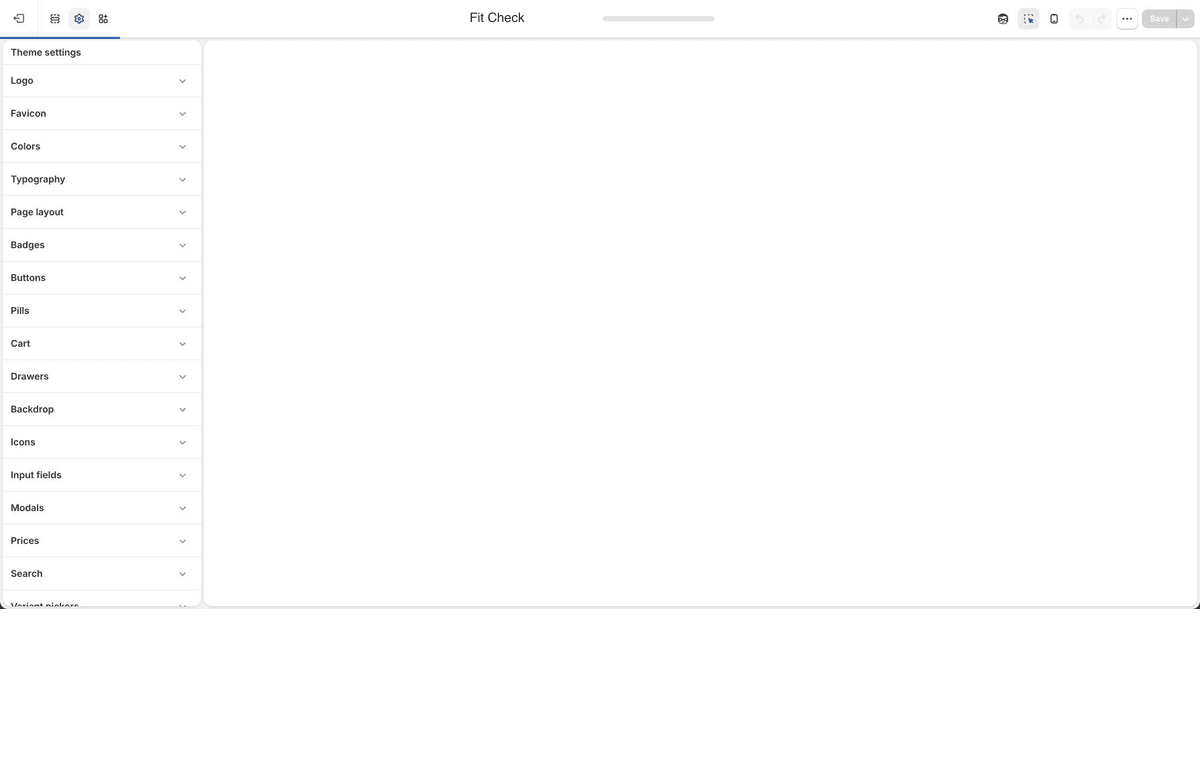
Recommended Setup Order
- Brand assetsUpload the default logo, inverse logo, and favicon first.
- Color paletteSet the global palette, then tune page colors, button colors, input colors, variant colors, badges, borders, drawers, modals, pills, and shadows.
- TypographyChoose the five font slots and tune H1-H6, body text, and badge typography.
- Interaction controlsSet buttons, inputs, badges, drawers, modals, backdrop, icons, and pills.
- Commerce behaviorChoose cart type, search behavior, price currency display, and swatch behavior.
Workflow Map
| Workflow | Global settings to review | Related reference |
|---|---|---|
| Product items and quick add | Badges, Prices, Variant pickers, Swatches, Search quick-add defaults, Modals, and Product item block settings. | Product-card blocks |
| Swatches and variants | Swatches, variant pickers, prices, buttons, inputs, product media. | Product template |
| Search | Search action mode, Search resources, recently viewed products, search drawer text, quick add, drawers, and backdrop. | Search template |
| Cart | Cart type, cart panel, line items, notes, discounts, checkout controls, drawers, and backdrop. | Cart template |
| App blocks | Buttons, inputs, direct colors, modals, drawers, typography. | Templates |
| Product links | Color palette, media requirements, card/text link style, linked product image, price, spacing, and readable product-link cards. | Product links |
Logo
| Setting | Description |
|---|---|
| Default logo | Upload your store logo. Supports PNG, SVG, or JPG. |
| Inverse logo | An alternate logo for use on dark or contrasting backgrounds. |
Favicon
| Setting | Description |
|---|---|
| Favicon | The small icon shown in browser tabs. Upload a square image (32x32px recommended). |
Color Palette
Fit Check uses Shopify’s Color palette setting as the base brand palette. The palette supplies default background and foreground values, and the theme derives readable fallbacks when an optional color field is left blank.
Use the Color palette guide for the screenshot-led workflow and palette-versus-direct-color decision rules.
After setting the palette, review the direct color controls in these global groups:
| Group | Controls |
|---|---|
| Typography | Page text, heading, primary, and primary hover colors. |
| Page layout | Page background, border, and shadow colors. |
| Buttons | Primary, secondary, and alternative button background, text, border, and hover colors. |
| Input fields | Input background, text, border, hover background, and focus border colors. |
| Badges | Sale, sold-out, search-result, and custom badge background/text colors. |
| Drawers | Drawer background, text, border, and shadow colors. |
| Modals | Popover/modal background, text, border, shadow, and quick-add colors. |
| Pills | Pill background, text, and border colors. |
| Variant pickers | Variant, selected variant, hover, and dropdown colors. |
Most sections expose a direct Background color field. Leave it blank when the section should inherit the global page background.
Typography
Configure 5 independent font slots:
Use the Typography guide for the screenshot-led setup workflow, including H1-H6 presets and local block Style menus.
| Slot | Used For |
|---|---|
| Heading | Section headings, page titles |
| Subheading | Subheadings (H4–H6 by default) |
| Body | Paragraphs, descriptions, general text |
| Display | Large display text, hero sections |
| Alternative | Accent text, special typographic treatments |
Each slot sets a font family from Shopify’s font library. Paragraph, heading, badge, pill, and input letter-spacing controls are separate settings.
Heading Levels (H1–H6)
Each heading level (H1–H6) can be independently configured with:
- Font slot — choose which of the 5 font slots to use
- Size — from 10px to 184px
- Line height — Tight, Snug, Normal, Relaxed, Loose, Extra loose
- Letter spacing — Tighter, Tight, Normal, Wide, Wider, Widest
- Text case — Default or Uppercase
Body Text
Body text supports configurable size (10–18px), line height, and letter spacing.
Page Layout
| Setting | Description |
|---|---|
| Page width | Maximum content width. Options: Compact (1200px), Standard (1440px), Wide (1920px), Ultra (2400px). Default: Standard. |
| Spacing scale | Global spacing multiplier. Options: Compact, Default, Relaxed, Spacious. |
| Shadow depth | Default shadow intensity. Options: None, Subtle, Medium, Strong. Default: Subtle. |
Buttons
Configure 3 button tiers — Primary, Secondary, and Alternative — each with independent styling. All buttons across the theme (including filter drawer buttons, buy buttons, and newsletter forms) inherit from these global settings.
Each tier supports:
| Setting | Description |
|---|---|
| Border width | Button border thickness. Range: 0–4px. |
| Border radius | Button corner rounding. Range: 0–100px. |
| Font | Font slot to use (Body, Subheading, Heading, Display, Alternative). |
| Text weight | Font weight (Default, Thin, Light, Regular, Medium, Semibold, Bold, Black). |
| Text case | Default or Uppercase. |
| Letter spacing | Adjust letter spacing. |
Shared across all tiers:
| Setting | Description |
|---|---|
| Vertical padding | Top and bottom padding inside buttons. |
| Horizontal padding | Left and right padding inside buttons. |
Button colors (text, background, border, hover states) are configured directly in Theme settings > Buttons.
Input Fields
| Setting | Description |
|---|---|
| Border width | Border thickness for all input fields. Range: 0–4px. Default: 0px. |
| Border radius | Corner rounding for inputs. Range: 0–32px. Default: 8px. |
| Vertical padding | Top and bottom padding inside inputs. Range: 0–20px. Default: 8px. |
| Horizontal padding | Left and right padding inside inputs. Range: 0–20px. Default: 10px. |
| Checkbox size | Size of checkbox inputs. |
| Checkbox border radius | Corner rounding for checkboxes. |
| Text style | Font style for input text. |
Input field colors (background, text, border, hover, focus) are configured directly in Theme settings > Input fields.
Badges
Position and Styling
| Setting | Description |
|---|---|
| Position | Where badges appear on product cards: Top left, Top right, Bottom left, Bottom right. Default: Top left. |
| Edge offset | Distance from the image edge. Range: 0–40px. Default: 0px. |
| Corner radius | Badge corner rounding. Range: 0–100px. Default: 40px. |
| Border width | Badge border thickness. Range: 0–4px. Default: 0px. |
| Padding | Vertical and horizontal padding inside badges. |
Badge Typography
| Setting | Description |
|---|---|
| Font | Font slot used for badge text. |
| Font size | Badge text size. |
| Font weight | Badge text weight. |
| Text case | Default or Uppercase. |
| Letter spacing | Badge letter spacing. |
Custom Badges
Create up to 4 custom badges tied to specific collections. Each slot includes:
| Setting | Description |
|---|---|
| Collection | Products in this collection receive the badge. |
| Label override | Custom label text. Leave blank to use the collection title. |
| Badge colors | Custom badge background and text colors apply to all custom badge slots. |
Built-in Badges
| Setting | Description |
|---|---|
| Sale badge colors | Background and text colors for sale badges. |
| Sold out badge colors | Background and text colors for sold-out badges. |
| Sale label | Text shown on sale badges. |
| Sold out label | Text shown on sold-out badges. |
Cart
| Setting | Description |
|---|---|
| Cart type | Page or Drawer. Controls whether clicking the cart icon opens a page or a slide-out drawer. |
The cart drawer includes extensive customization: panel width, border radius, image sizing, typography for titles/variants/summary, quantity controls, divider style, and optional features like cart notes, discount codes, installment messaging, and accelerated checkout buttons.
Variant Pickers
| Setting | Description |
|---|---|
| Variant colors | Base variant text-option background, text, border, and hover colors. |
| Selected variants | Selected option background, text, border, and hover colors. |
| Text option style | Font size, minimum width, and minimum height for text options. |
| Button style | Button-mode border width, radius, selected outline width, and width behavior. |
| Underline style | Underline color, thickness, and offset for underline mode. |
| Dropdown appearance | Variant dropdown background, text, and border colors. |
Swatches
| Setting | Description |
|---|---|
| Variant images | Display variant images as swatches when product data supports them. |
| Sold out indicator | How unavailable swatches are shown: dimmed/strikethrough, dimmed/diagonal slash, or X slash. |
| Width and height | Visual swatch dimensions. |
| Border radius | Corner rounding for visual swatches. |
| Border | Swatch border style. |
| Border width and opacity | Swatch border thickness and opacity when borders are enabled. |
| Swatch gap | Spacing between visual swatches. |
Search
| Setting | Description |
|---|---|
| Search action mode | Drawer or Page. Controls whether clicking the search icon opens a drawer or navigates to the search page. Default: Drawer. |
| Show search icon | Toggle the magnifying glass icon next to results. |
| Show recently viewed | Display recently viewed products in search. |
| Results per page | Number of results shown. Range: 6–24. Default: 12. |
| Resource toggles | Enable or disable results for products, articles, pages, and collections independently. |
| Quick add | Enable product-card quick add for search results. |
| Mobile quick add | Enable product-card quick add on mobile when quick add is enabled. |
When using drawer mode, additional settings appear for the drawer heading, subtitle, and text visibility. The /search page layout mode is controlled by the Search page section, not by Theme settings.
Drawers
| Setting | Description |
|---|---|
| Drawer colors | Background, text, border, and shadow colors applied to drawers such as cart, search, and mobile menu. |
| Border | Drawer border style and width. |
| Shadow intensity | Shadow around the drawer panel. |
| Background opacity | Opacity of the drawer panel background. |
| Background blur | Blur effect on the drawer background. |
| Padding | Inner padding of drawers. |
Backdrop
| Setting | Description |
|---|---|
| Style | Backdrop overlay style when drawers or modals are open. |
| Opacity | Backdrop darkness level. |
| Blur | Background blur intensity behind the overlay. |
Icons
| Setting | Description |
|---|---|
| Stroke width | Line thickness for all theme icons. |
Modals
| Setting | Description |
|---|---|
| Modal colors | Background, text, border, shadow, and quick-add panel colors for popover/modal panels. |
| Border radius | Corner rounding for modals. |
| Border | Modal border style and width. |
| Shadow intensity | Shadow around modals. |
| Background opacity | Modal panel background opacity. |
| Background blur | Blur effect behind the modal. |
Prices
| Setting | Description |
|---|---|
| Currency code display | How currency codes appear (e.g., USD, EUR). |
| Show on product pages | Display currency code on product pages. |
| Show on product cards | Display currency code on collection/grid product items. |
| Show on cart items | Display currency code on cart line items. |
| Show on cart total | Display currency code on the cart total. |
Pills
| Setting | Description |
|---|---|
| Pill colors | Background, text, and border colors for pill/tag elements. |
| Border radius | Corner rounding for pills. |
| Border width | Pill border thickness. |
| Padding | Vertical and horizontal padding inside pills. |
| Font | Font slot, size, weight, case, and letter spacing for pill text. |
Social Media
Add your social media profile URLs. These are used by the Social links footer block.
| Setting | Description |
|---|---|
| Instagram profile URL. | |
| Facebook page URL. | |
| X (Twitter) | X/Twitter profile URL. |
| TikTok | TikTok profile URL. |
| YouTube | YouTube channel URL. |
| Pinterest profile URL. | |
| Snapchat | Snapchat profile URL. |
| LinkedIn page URL. |
Gift Card
| Setting | Description |
|---|---|
| Gift card image | Replacement image for the gift-card template. |
Publish Checklist
- Review one product page, one collection page, one search page, and the cart after changing global settings.
- Confirm the Color palette and direct color controls maintain readable contrast on light and dark sections.
- Confirm button, input, badge, and pill settings remain readable on mobile.
- Test search and cart drawers after changing drawer or backdrop settings.
- Test product variant pickers and swatches after changing Variant pickers or Swatches settings.
- Confirm price currency code display matches the store’s international selling needs.