Announcement Marquee
A continuously scrolling marquee bar for announcements. Creates an eye-catching ticker effect across the top of your store.
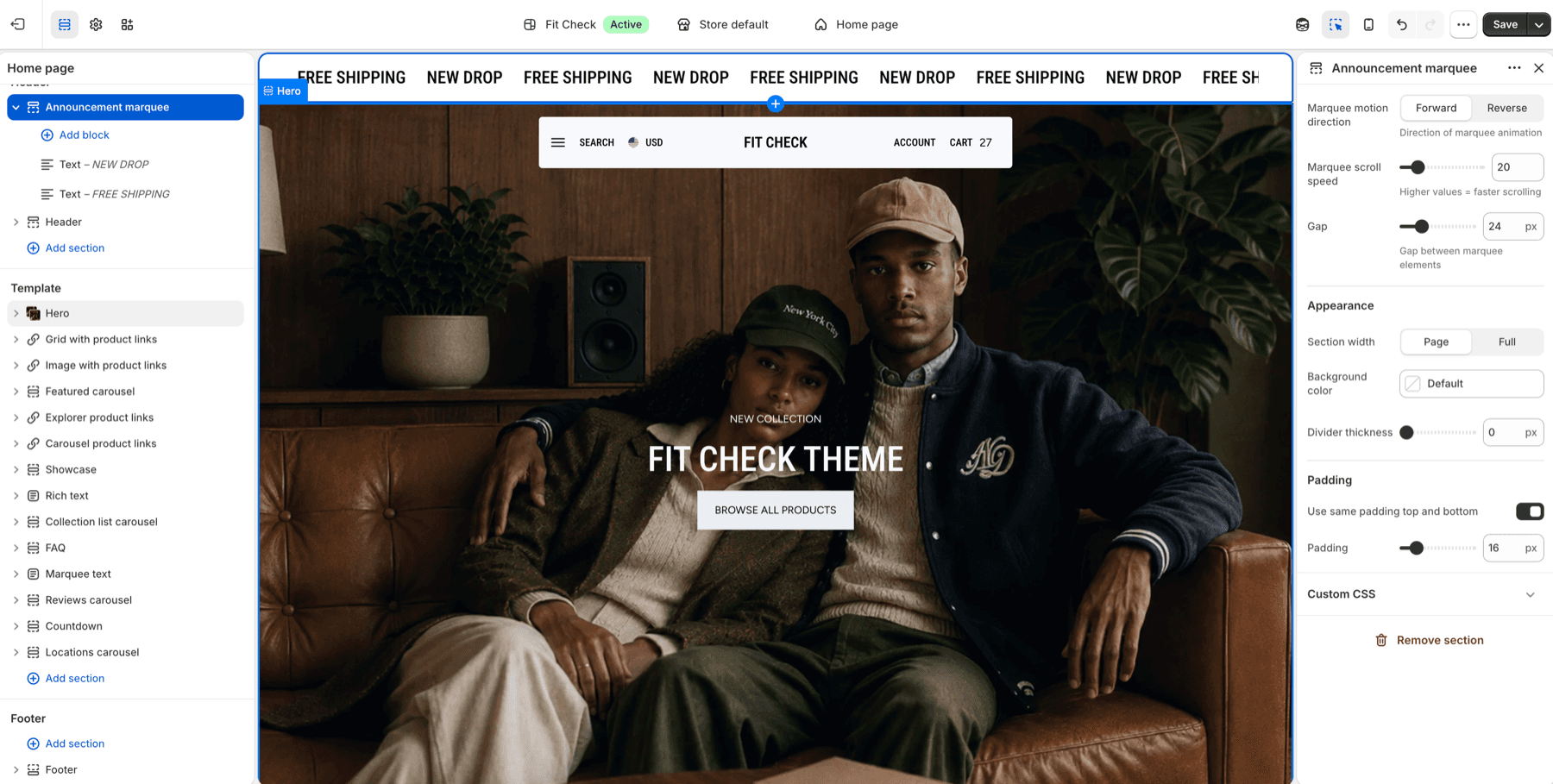
Configure the Section
- In the theme editor, click Add section in the header area.
- Select Announcement marquee.
Section Settings
| Setting | Description |
|---|---|
| Marquee motion direction | Scroll direction: Forward or Reverse. Default: Forward. |
| Marquee scroll speed | Animation speed for the marquee. Higher values scroll faster. Range: 5-100. Default: 20. |
| Gap | Spacing between each marquee item. Range: 0-100px. Default: 24px. |
| Section width | Choose Page width or Full width. Default: Page width. |
| Background color | Optional custom background. Leave Default to use the theme surface. |
| Divider thickness | Bottom divider thickness. Range: 0-5px. Default: 0px. |
| Use same padding top and bottom | Keep top and bottom spacing linked. Default: On. |
| Padding | Top and bottom padding when unified. Range: 0-100px. Default: 16px. |
| Top / Bottom | Independent padding controls when unified padding is off. Range: 0-100px. Default: 16px each. |
Blocks
Text Block
Add text content to the scrolling marquee.
Icon Block
Add an icon that scrolls alongside text content.
Logo Block
Display a small image or brand mark in the marquee.
Divider Block
Add a divider between repeated marquee items when you want stronger visual separation.
Floating and transparent headers
1.8.0 keeps the ordinary Announcement marquee usable with floating and transparent headers, including groups that also have an Island announcement. When the marquee follows the header, the header uses its configured regular colors and the layout leaves room for the announcement. Review your message and links at the top of the page and after scrolling on desktop and mobile. See Header pairing guidance and Latest updates for release details.