Newsletter popup
A modal popup that encourages visitors to subscribe to your email list. Supports multiple trigger methods, frequency controls, app blocks, and composed content blocks.
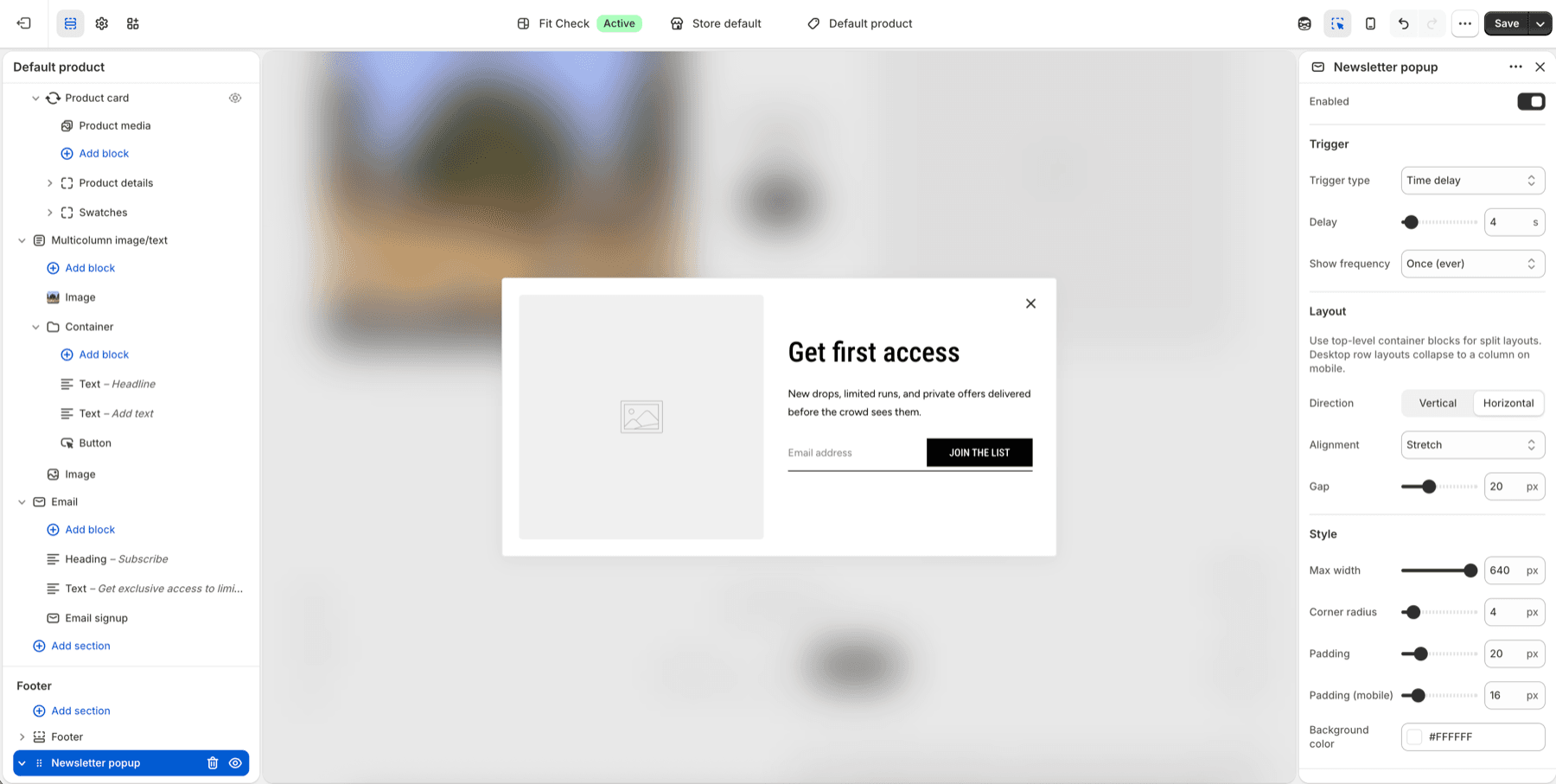
Configure the Section
- In the theme editor, add the Newsletter popup section from the footer section group.
- Click it to configure trigger, content, and styling.
- Keep Enabled off while composing content, then turn it on when the popup is ready.
Section Settings
Trigger
| Setting | Description |
|---|---|
| Enabled | Turn the popup on or off. Default: Off. |
| Trigger method | Time delay, Scroll percentage, or Exit intent. Default: Time delay. |
| Delay | Seconds to wait before showing (time delay mode). Range: 1–60s. Default: 5s. |
| Scroll percentage | How far down the page to scroll before showing. Range: 10–90%. Default: 50%. |
| Frequency | How often to show the popup — Once, Every session, Once per day, or Once per week. Default: Once. |
Layout
| Setting | Description |
|---|---|
| Content direction | Column (stacked) or Row (side by side). Default: Column. |
| Content alignment | Start, Center, End, or Stretch. Default: Center. |
| Content gap | Spacing between popup content blocks. Range: 0–60px. Default: 16px. |
Use a Container block when you need grouped content inside the popup. Container blocks are useful for splitting image, text, signup, button, and divider content into more deliberate layouts.
Appearance
| Setting | Description |
|---|---|
| Max width | Maximum width of the popup modal. Range: 320–640px. Default: 480px. |
| Border radius | Corner rounding of the popup. Range: 0–50px. Default: 4px. |
| Desktop padding | Inner padding on desktop. Range: 0–100px. Default: 32px. |
| Mobile padding | Inner padding on mobile. Range: 0–100px. Default: 24px. |
| Popup colors | Set popup background, text, border, and shadow colors. |
Blocks
Add content blocks to compose the popup layout:
| Block | Description |
|---|---|
| Image | Optional image displayed in the popup. |
| Text | Heading, subtitle, or body text. |
| Email signup | Email input field with subscribe button. |
| Button | Additional call-to-action button. |
| Container | Group multiple content blocks inside a layout wrapper. |
| Divider | Add a visual separator between content areas. |
| App block | Add compatible app-provided popup content. |
Tips
- Use Once per session, Once per day, or Once per week when the popup should not reappear repeatedly.
- Exit intent only runs where the browser can detect pointer exit behavior; mobile visitors should use delay or scroll triggers.
- Test the popup in an unpublished theme or with Enabled off until the content and signup destination are ready.